
Try Valley
Put your outbound workflow to work.

Saniya Sood
Published:
Updated:
Published June 22, 2025 · Updated October 26, 2026
The best LinkedIn prospecting tools in 2026, by the job they do: LinkedIn Sales Navigator for finding buyers, Evaboot for exporting those lists, Valley and Common Room for catching buyers who are showing signals now, Apollo and Lusha for contact data, and Expandi, HeyReach and Dripify for sending at volume. Most teams need one tool per job, not all nine. Valley makes one of these tools; its entry is marked.
If you need | Pick | Starting price |
|---|---|---|
The search filters every other tool assumes | LinkedIn Sales Navigator | $119.99/mo, or $1,079.88 a year |
To contact people already showing interest, researched and written for you | Valley (Valley’s own tool) | $199/seat/mo, or $149 billed quarterly |
The cheapest clean export of a Sales Navigator list | Evaboot | from $9/mo |
Contact data on a free plan | Apollo or Lusha | free plans; Lusha paid from $49.90/mo |
Many sending accounts at a low cost per seat | HeyReach | $79/mo per sender ($64 billed yearly) |
A simple sequencer | Dripify | $79/mo ($59 billed annually) |
How these tools were checked
Valley makes one of the tools below and competes for part of this budget. Valley’s entry is marked and its cons are listed. Every price was read from the vendor’s own pricing page on October 26, 2026, except Apollo’s paid plan, which its pricing page does not show as text; that figure comes from Apollo’s own blog (17 September 2026). Feature descriptions are the vendors’ own unless a test is named. Valley has not run all nine tools side by side on one list. For the safety record behind the senders, see the safest LinkedIn automation tools.
A LinkedIn prospecting tool does one or more of four jobs: find the people who fit, time the message by spotting who is showing interest, reach them with contact data or a LinkedIn route, and send at a pace LinkedIn tolerates. Signal tools are the timing layer: they start from what buyers do (profile views, post engagement, job changes, site visits) instead of a static list. The tools below are grouped by the job they do best. The full list of signals: B2B buying signals, ranked.
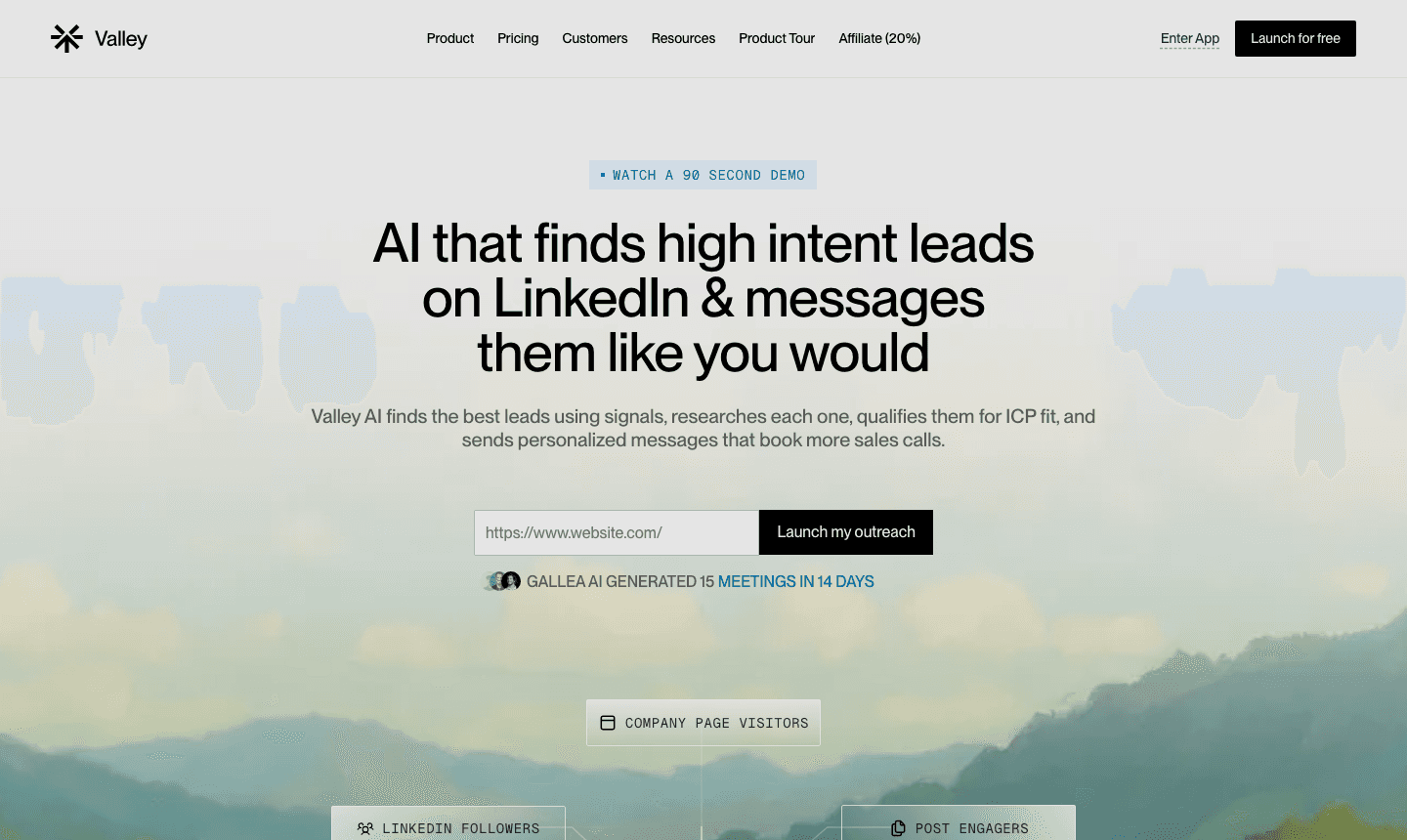
► Prospect from people already showing intent: start a 7-day Valley trial

Give your sales team
an unfair advantage.
Tool | Job | Starting price | Free plan or trial | Price read on |
|---|---|---|---|---|
LinkedIn Sales Navigator | Find | $119.99/mo; $1,079.88 a year | free trial offered (length not stated) | 26 Oct 2026 |
Evaboot | Find (export) | from $9/mo (100 credits) | none stated | 26 Oct 2026 |
Valley (Valley’s own) | Time + research + send | $199/seat/mo; $149 billed quarterly | 7 days, card required | 26 Oct 2026 |
Common Room | Time (signals, larger teams) | $2,500/mo, billed annually | demo only | 26 Oct 2026 |
Apollo | Reach (data + email) | free; Basic $49/user/mo billed annually | free plan | 17 Sep 2026 (Apollo’s blog) |
Lusha | Reach (data, extension) | $49.90/mo; $37.45/mo billed annually | free plan, 40 credits a month | 26 Oct 2026 |
Expandi | Send | $99/mo; $79/mo billed annually | 7 days | 26 Oct 2026 |
HeyReach | Send (many accounts) | $79/mo per sender; $64 billed yearly | free trial | 26 Oct 2026 |
Dripify | Send | $79/mo; $59/mo billed annually | 7 days, no card | 26 Oct 2026 |
LinkedIn Sales Navigator: find
LinkedIn’s own paid search. It is where most prospect lists start, because every other tool on this page either reads from it or competes with its filters.
Works well: filters free search does not have (headcount growth, years in role, recent job changes, recent posts), saved searches with lead and account alerts, and 50 InMail credits a month.
Does not: send connection requests in sequence, export lists, or research a person for you.
Price: $119.99 a month per licence, or $1,079.88 a year.
Pick it if: prospecting on LinkedIn is weekly work and you want alerts instead of re-running searches. The full case: is Sales Navigator worth it.
Evaboot: find (export)
Turns a Sales Navigator search into a clean spreadsheet, with names tidied and work emails found where it can.
Works well: cheap, fast exports; unused credits roll over.
Does not: find phone numbers at depth, spot signals, or send anything.
Price: from $9 a month for 100 credits.
Pick it if: you already live in Sales Navigator and need the list outside it. Other options: Evaboot alternatives.
Valley (Valley’s own tool): time, research and send
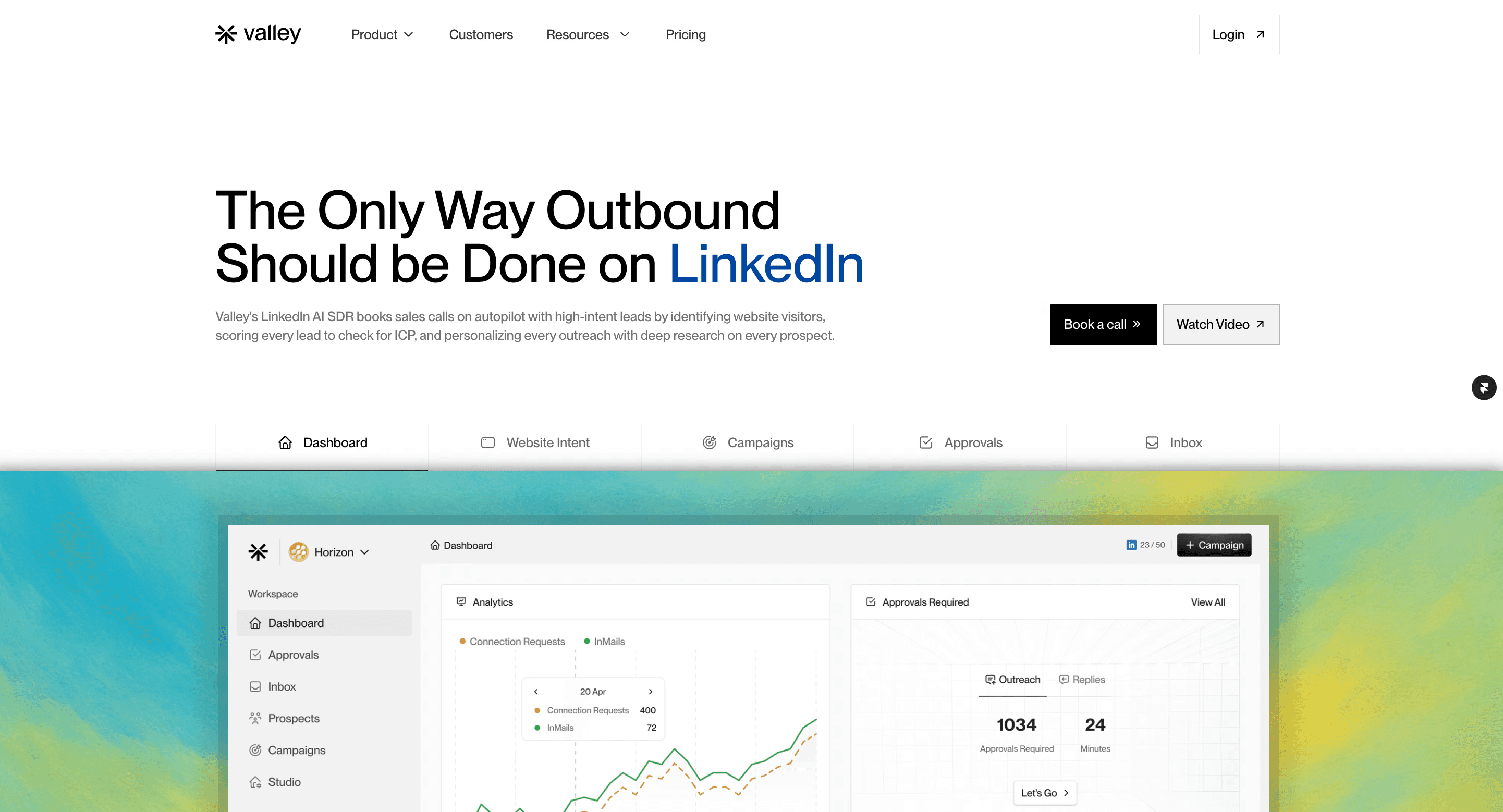
Starts from people already showing interest (profile viewers, post engagers, competitor audiences, job changes, funding, hiring, website visitors) or from a list you upload, qualifies each person against your ICP, researches them and drafts a LinkedIn message in your voice that you approve.
Works well: 15-45% reply rates on signal-based LinkedIn outreach; zero suspensions across 1,000+ accounts.
Does not: act as a bulk contact database, or run dozens of sender accounts for volume.
Price: Starter $199 per seat a month, or $149 billed quarterly, for LinkedIn (email is an add-on); Plus $299, or $249 quarterly, adds 1,000 emails a month; Growth $499 includes $300 of credits a month. Plus and Growth are bought through a demo. Valley pricing, explained.
Pick it if: the list is not the problem, the replies are, and you want the research and first draft done for you.
Common Room: time (signals for larger teams)

Collects buyer signals from many sources (community, product, web, social) and resolves them to people and accounts.
Works well: breadth of sources and identity resolution for teams with many signal streams.
Does not: send LinkedIn outreach; it hands signals to other tools.
Price: Essential is $2,500 a month, billed annually; higher plans are custom. Common Room pricing explained.
Pick it if: you have the budget and the data team to act on many sources at once. Head to head: Valley vs Common Room.
Apollo: reach (data and email)
A large contact database with email sequencing and a free plan.
Works well: breadth of data on a free plan; one credit per email and eight per mobile number, per Apollo’s own documentation.
Does not: send on LinkedIn.
Price: free plan; Basic is $49 per user a month billed annually, per Apollo’s blog (17 September 2026), since the pricing page does not show it as text.
Pick it if: you need emails for the names you found on LinkedIn. Other options: Apollo alternatives.
Lusha: reach (data in the browser)
A browser extension that shows an email and phone number while you look at a LinkedIn profile.
Works well: quick lookups while you browse; one credit per email, five per phone.
Does not: spot signals or send anything.
Price: free plan with 40 credits a month; paid from $49.90 a month, or $37.45 a month billed annually.
Pick it if: you prospect by hand and want contact details without leaving LinkedIn.
Expandi: send
A cloud sequencer for connection requests and messages, with a dedicated IP per account.
Works well: runs from the cloud rather than your browser; sequences, A/B tests and a shared inbox.
Does not: decide who to contact; it sends to the list you give it.
Price: $99 a month, or $79 a month billed annually; 7-day trial.
Pick it if: you already know who to contact and want steady, safe sending. Other options: Expandi alternatives.
HeyReach: send (many accounts)

Priced per sender and built to rotate outreach across many LinkedIn accounts from one inbox.
Works well: agencies and teams running many senders at a low cost per seat.
Does not: research prospects; personalization is thin by default.
Price: $79 a month per sender, or $64 billed yearly.
Pick it if: volume across many accounts is the goal. Other options: HeyReach alternatives; head to head: Valley vs HeyReach.
Dripify: send
Simple drip campaigns for connection requests and follow-ups, with safety caps and randomized delays.
Works well: easy setup for a first sequencer.
Does not: signals or complex branching.
Price: $79 a month on Pro, or $59 a month billed annually; 7-day trial with no card.
Pick it if: you want one straightforward sequencer and nothing more.
Keep exploring: Valley pricing, explained · real customer results.

Give your sales team
an unfair advantage.
Pick by the job that is failing, not by the feature list:
You do not know who to contact: Sales Navigator first. Two weeks of manual prospecting tells you whether the market is there.
You have names but no way to reach them off LinkedIn: a data tool (Apollo or Lusha).
You have a list but replies are low: the list is cold. Add a signal tool so the first message has a reason (Valley, or Common Room at enterprise budgets).
Replies are fine but there are not enough sends: a sequencer (Expandi, Dripify, or HeyReach for many accounts), inside LinkedIn’s limits.
Most working setups are two tools: one that finds or times, and one that reaches. The process these tools plug into: how to prospect on LinkedIn. Senders compared in depth: the best LinkedIn automation tools. Data tools compared in depth: B2B prospecting tools. Running prospecting for clients: LinkedIn prospecting tools for GTM agencies.
Budget picks
Under $50 a month: Evaboot plus Lusha’s free plan for a manual motion, or Apollo’s free plan.
Under $100 a month: Dripify on annual billing ($59) for sending, with free LinkedIn search and Boolean for finding.
One tool that finds, researches and writes: Valley Starter at $149 per seat a month billed quarterly.
Compare on cost per conversation, not sticker price: a cheaper tool that books nothing costs more than one that books meetings. More on this: affordable LinkedIn prospecting tools that book meetings.
Related: running client outbound from one platform.
See also: Common Room pricing explained.
► Book a demo: see how Valley would find, research and message your buyers
FAQ
What are LinkedIn prospecting tools?
Software that helps find the right people on LinkedIn, decide who to contact now, get their contact details, and send connection requests and messages. Most tools do one of those jobs well.
What is the best LinkedIn prospecting tool?
It depends on the job: Sales Navigator for finding, Valley for contacting people already showing interest, Apollo for contact data, HeyReach or Expandi for sending at volume.
Are LinkedIn prospecting tools and LinkedIn automation tools the same?
Automation tools are the sending part. Prospecting tools also include search, data and signal tools. A full setup usually has one of each.
What is a signal-based LinkedIn prospecting tool?
One that starts from what buyers do (profile views, post engagement, job changes, site visits) instead of a static list, and ranks who to contact by those signals.
Is Sales Navigator a prospecting tool?
Yes, the main one for finding people. It does not send or sequence messages, so most teams pair it with a sending or signal tool.
Are LinkedIn prospecting tools safe for my account?
Search and data tools carry little risk. Sending tools carry the risk: pick cloud tools with dedicated IPs over browser extensions, and stay inside LinkedIn’s limits (about 100 invitations a week).
What is the cheapest LinkedIn prospecting tool?
Apollo and Lusha have free plans for contact data, Evaboot starts at $9 a month for exports, and Dripify is $59 a month on annual billing for sending.
Can one tool do all of LinkedIn prospecting?
Some tools cover several jobs. Valley finds signals, researches, writes and sends, but it is not a bulk contact database; Apollo covers data and email but does not send on LinkedIn.
How this page was made: the facts were read from the sources named in the text on October 26, 2026; drafted with AI assistance; fact-checked, reviewed and edited by Saniya Sood.


